

Analytics
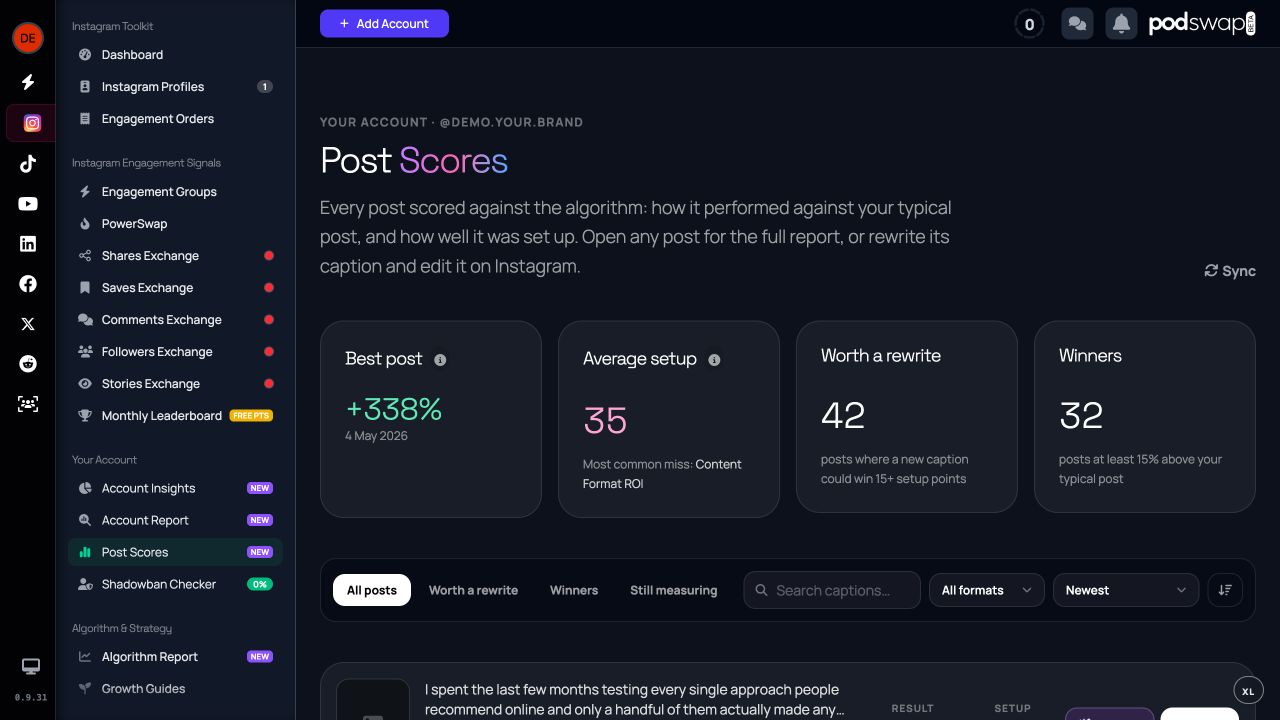
How to use Post Scores
Understand how posts compare with your usual results and where a rewrite might help. Automatic per-post scoring is restricted; the public caption grader is free.
See how your account is changing
Account Insights brings public account metrics and posting trends together. Compare similar periods and look for patterns across several posts instead of reacting to one result.
Decide what to improve
Account Report combines account signals into a prioritised review with strengths, changes to try and ideas for your next post. It is an assessment from observed data, not access to Instagram’s ranking system.
Review individual posts
Post Scores can compare results against your usual performance and link back to Post Studio for a rewrite. Automatic per-post scoring is restricted; the public caption grader remains free.
Access and limitations
Public data does not expose private reach, saves, shares or watch time. Missing measurements should remain missing. A score helps you choose an experiment; it cannot predict the platform’s next recommendation.
Join PodSwap
Reading about it is the slow way
Every guide here describes something you can do the moment you have an account. Register free, join the community, and swap engagement with creators in your niche.