
Step 1 · In PodSwap
Describe your post
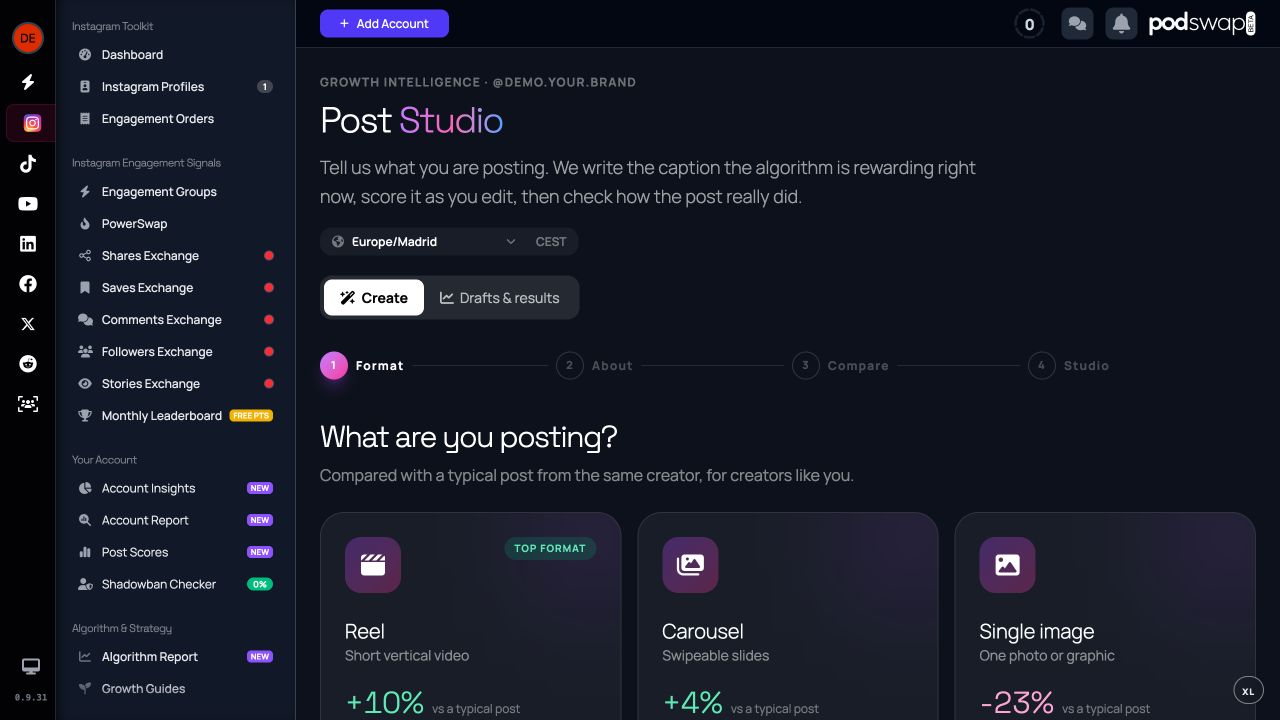
Choose the format and describe the subject, audience and goal. Start from your own writing when you already have a draft. A specific brief makes the suggestions easier to judge.
Enter to open · Esc to close
Explore PodSwap
Draft Instagram captions for Reels, carousels and images, compare variants and improve published text. Free account required; you publish it yourself.
Instagram caption writing and rewriting with Post Studio
Choose a step to explore. You stay in control.
Step 1 · In PodSwap
Choose the format and describe the subject, audience and goal. Start from your own writing when you already have a draft. A specific brief makes the suggestions easier to judge.
Step 2 · In PodSwap
Review caption variants, edit the words and use the scoring feedback to strengthen your opening, structure and call to action. Keep claims accurate and make the final caption sound like you.
Step 3 · In PodSwap
Save a draft, publish through Instagram and return to the associated results when available. You can also start a rewrite from a published post.
Before you start
Post Studio does not publish or engage on your behalf. AI drafting and improvement calls have daily allowances. Its caption feedback is different from the restricted automatic scoring of your published posts.
Joining is free. Tools may require a connected account and have usage allowances. See what the free plan includes →
Free to join · No card required
Help other creators, earn points and receive engagement. No card and no social account password required.
Questions
Post Studio helps draft and rewrite Instagram captions with a free PodSwap account. Format choices, saved drafts and usage allowances are shown in the app. You review the text and publish it yourself.
No. Descriptive wording can make a post easier to understand, but a caption cannot force indexing, recommendations or a specific reach result.
Yes. Joining PodSwap and the core exchanges are free, with no card required. Some tools need a connected account, and usage allowances and advanced-access differences apply. Check the free plan for the details.
No. Every exchange action is performed by a person, by hand. Writing tools help you prepare content; you decide what to publish.
Post Studio does not publish or engage on your behalf. AI drafting and improvement calls have daily allowances. Its caption feedback is different from the restricted automatic scoring of your published posts.
Keep exploring
Understand why follower size comes first and niche refines a creator match. See a worked example and the limits of engagement matching.
See how it works →ExploreUnderstand how participation affects confirmation, when points are held and where to review a missing engagement. This is a PodSwap score, not Instagram Account Status.
See how it works →ExploreLearn how earned points work, why exchanges keep separate balances and when points can be used to request engagement. Joining is free; participation is required.
See how it works →